A watch face for Garmin
Your day, around the dial.
Calendar Wheel draws your calendar on the watch face itself. Every event is a coloured slot at its place on a 12-hour dial, and the red hand moves through your day. One glance shows what is on now, what comes next and how long you have until then. If you want it, any numeral can show your watch’s weather, that hour’s forecast, your steps, heart rate, Body Battery, the next sunrise or sunset, the battery and more, or count down to a date of yours.
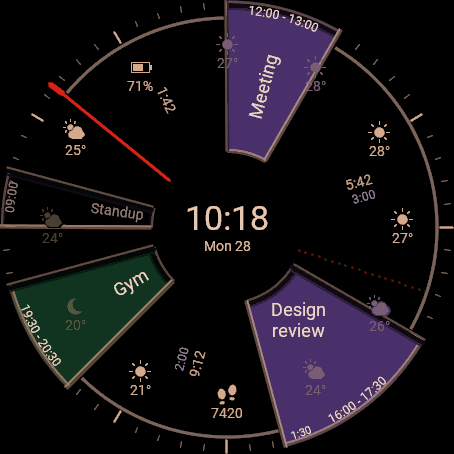
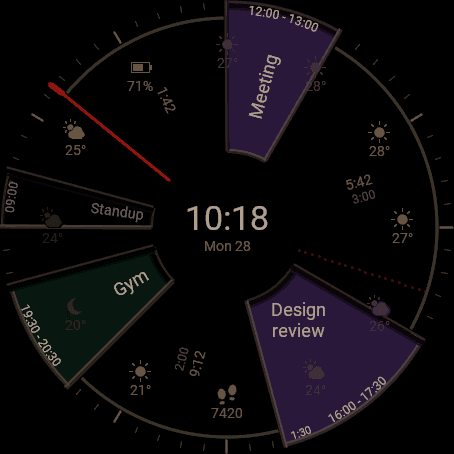
Always-on
The same face when the screen rests.
When the watch rests, Calendar Wheel does not fall back to a bare clock. The whole day stays on screen, dimmed: the slots, their titles and the hand, updated every minute.
You choose how bright it rests: dim, normal or bright, or let the battery level decide. On a quiet day the face glows a little brighter, because fewer lit pixels cost less.
How it reads
If you can read a clock, you can read your day.
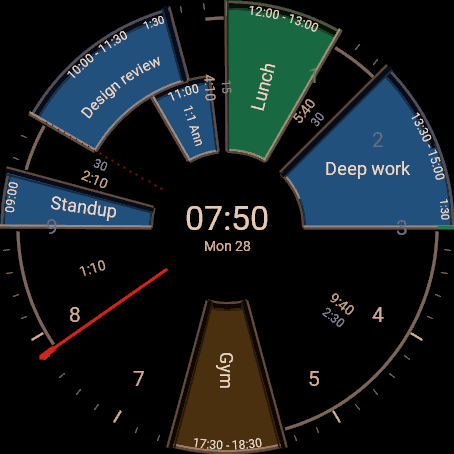
Events sit where their hours are
A meeting from 2 to 3 fills the dial between 2 and 3. The next twelve hours are always in view, in the colour of the calendar each event belongs to.
The hand is now
The red hand points at the current time. Whatever it touches is happening; everything clockwise from it is still to come.
Free time has a number
Between two events, small figures give the time until the next one starts and how long the break is.
What is over steps back
An event that has ended keeps its outline and loses its colour, so the day behind you stays readable without competing with what is ahead.
A full day still fits
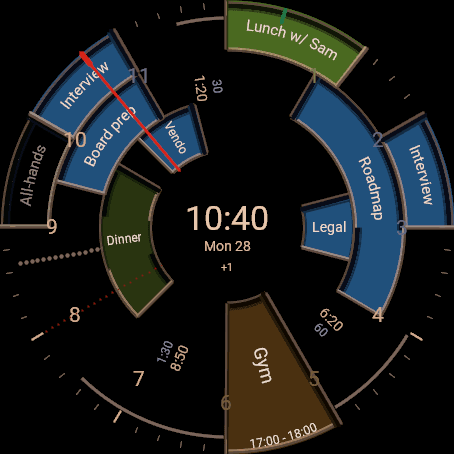
Events that overlap are stacked in rings, each with its own title. Up to three all-day events share one ring round the centre; any more are counted under the date.
Your calendar
Works with Google Calendar.
Pair once
The watch shows a six-letter code. You open a link, sign in with Google and approve read access. There is no companion app to install.
More than one account
Add a second Google account the same way, a work calendar beside a personal one. The watch shows them as one day.
Read-only
Calendar Wheel asks Google for permission to see your calendars and their events. It cannot create, change or delete anything.
Kept current
The watch asks for the day again every five minutes, so a moved meeting moves on the dial.
What happens to your data
To draw your day, Calendar Wheel reads the names and colours of your calendars and the titles and times of your events for today and tomorrow. They are passed to your watch and are not kept on our server. No ads, no tracking, nothing sold or shared. The details are in the privacy policy.
Which watches
Calendar Wheel is on the Connect IQ Store for the Garmin fēnix 9 Pro (47 and 51 mm) and the fēnix 9, the fēnix 8 and 8 Pro, the Forerunner 965, 970 and 570, the Venu 3 and 4, the epix Pro and the MARQ Gen 3; and, with a flat look for their memory-in-pixel screens, the fēnix 9 Pro Solar and fēnix 8 Solar, the fēnix 7 family, the Forerunner 955 and the Enduro 3 and 4. The store page has the full list.